Examples
In this section you will learn how to run the pre-defined examples. For more information on how to configure this project and run the code for your own cases, see Usage.
Example 1: Pair of Counter Rotating Vortices
In this example we will simulate a pair of counter-rotating vortices. The flow elements are presented in the table below. To run this example enter the following command in your terminal in the project root:
$ make example1
x position |
y position |
Circulation |
|
|---|---|---|---|
Vortex 1 |
0.0 |
0.5 |
6.3 |
Vortex 2 |
0.0 |
-0.5 |
-6.3 |
Example 2: Pair of Co-Rotating Vortices
In this example we will simulate a pair of co-rotating vortices. The flow elements are presented in the table below. To run this example enter the following command in your terminal in the project root:
$ make example2
x position |
y position |
Circulation |
|
|---|---|---|---|
Vortex 1 |
0.0 |
0.5 |
6.3 |
Vortex 2 |
0.0 |
-0.5 |
6.3 |
Example 3: Evolution of Three Point Vortices
In this example we will simulate three vortices. The parameters are presented in the table below. To run this example enter the following command in your terminal in the project root:
$ make example3
x position |
y position |
Circulation |
|
|---|---|---|---|
Vortex 1 |
1.0 |
0.0 |
-12.57 |
Vortex 2 |
-1.0 |
0.0 |
6.28 |
Vortex 3 |
1.0 |
1.0 |
18.85 |

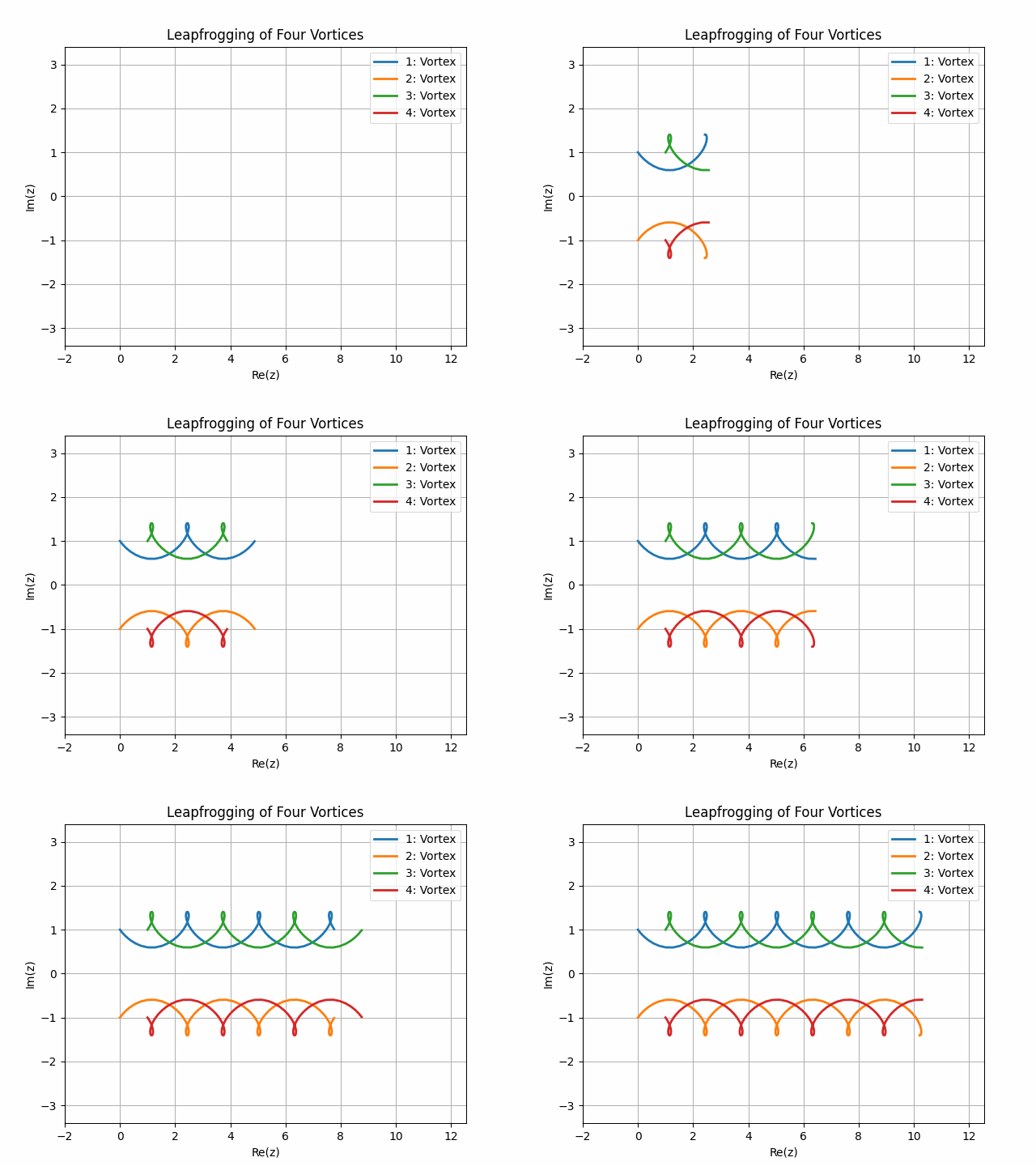
Example 4: Leapfrogging of Four Vortices
In this example we will simulate a case of leapfrogging of four vortices. The parameters are presented in the table below. To run this example enter the following command in your terminal in the project root:
$ make example4
x position |
y position |
Circulation |
|
|---|---|---|---|
Vortex 1 |
0.0 |
1.0 |
6.28 |
Vortex 2 |
0.0 |
-1.0 |
-6.28 |
Vortex 3 |
1.0 |
1.0 |
6.28 |
Vortex 4 |
1.0 |
-1.0 |
-6.28 |
Example 5: Solid Body Rotation of Three Vortices
In this example we will simulate the solid body rotation of three vortices. The parameters are presented in the table below. To run this example enter the following command in your terminal in the project root:
$ make example5
x position |
y position |
Circulation |
|
|---|---|---|---|
Vortex 1 |
1.0 |
0.0 |
-6.28 |
Vortex 2 |
-1.0 |
0.0 |
6.28 |
Vortex 3 |
0.0 |
1.73 |
12.57 |

Example 6: Collapse of Three Vortices
In this example we will simulate the collapse of three vortices The parameters are presented in the table below. To run this example enter the following command in your terminal in the project root:
$ make example6
x position |
y position |
Circulation |
|
|---|---|---|---|
Vortex 1 |
-1.0 |
0.0 |
12.57 |
Vortex 2 |
1.0 |
0.0 |
12.57 |
Vortex 3 |
1.0 |
1.41 |
-6.28 |

Example 7: Circular Cylinder
In this example we will show the plots for a circular cylinder The parameters are presented in the table below. To run this example enter the following command in your terminal in the project root:
$ make example7
x position |
y position |
Circulation |
Radius |
Velocity |
Incidence |
|
|---|---|---|---|---|---|---|
Cylinder 1 |
0.0 |
0.0 |
12.57 |
1.0 |
10.0 |
0.0 |
Example 8: Joukowski Aerofoil
In this example we will visualize a Joukowski aerofoil
Please note that the flow_element.JoukowskiElement has not been checked for correctness.
To run this example enter the following command in your terminal in the project root:
$ make example8
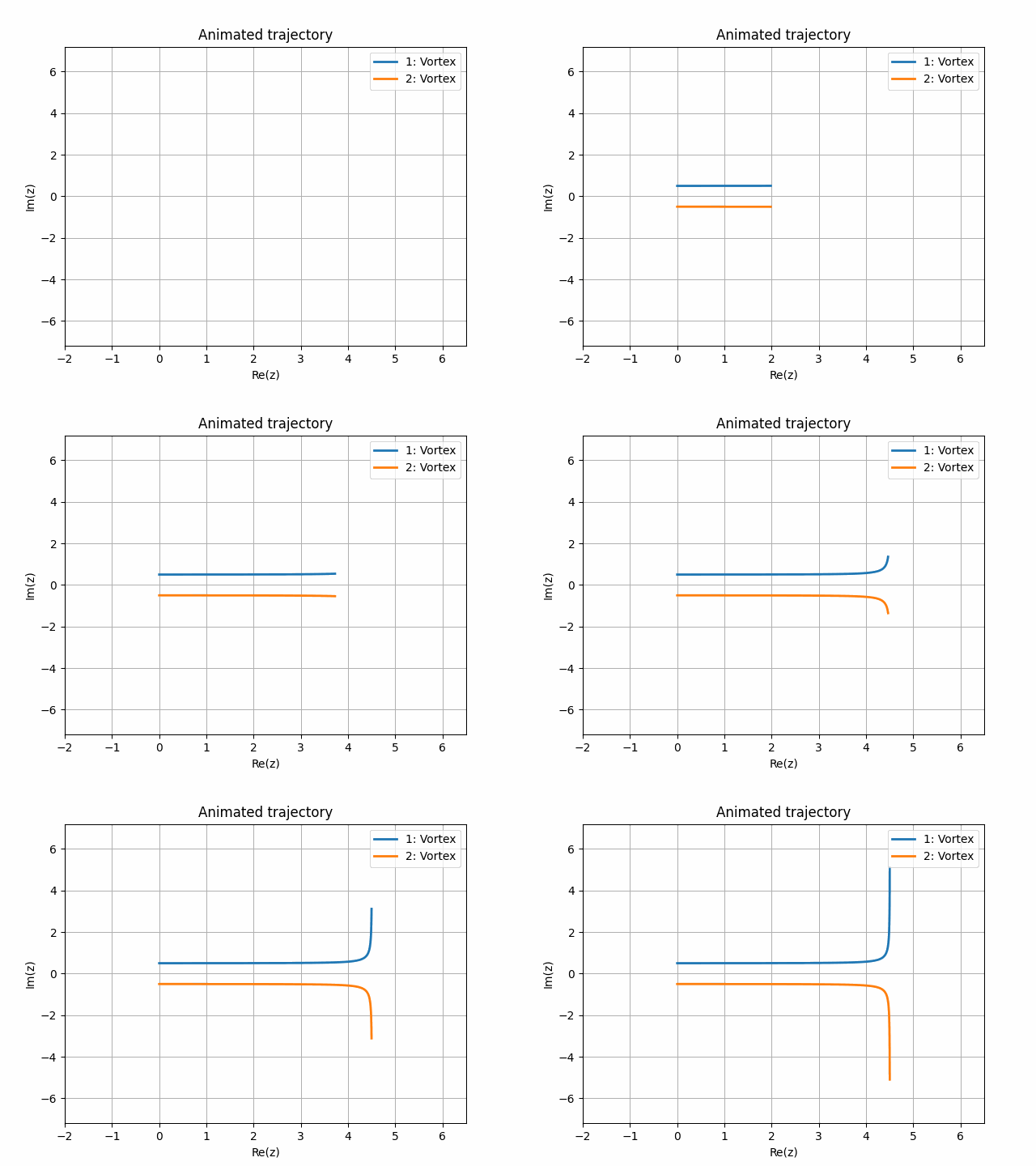
Example 9: Pair of Counter Rotating Vortices with Vertical Wall
In this example we will simulate a pair of counter-rotating vortices with a vertical wall at \(x = 5\). The parameters are presented in the table below. To run this example enter the following command in your terminal in the project root:
$ make example9
x position |
y position |
Circulation |
|
|---|---|---|---|
Vortex 1 |
0.0 |
0.5 |
6.3 |
Vortex 2 |
0.0 |
-0.5 |
-6.3 |
Example 10: Pair of Counter Rotating Vortices with Two Walls
In this example we will simulate a pair of counter-rotating vortices. Two walls are added to the flow: a vertical wall at \(x = 4\) and a horizontal wall at \(y = 1\). The parameters are presented in the table below. To run this example enter the following command in your terminal in the project root:
$ make example10
x position |
y position |
Circulation |
|
|---|---|---|---|
Vortex 1 |
0.0 |
0.5 |
6.3 |
Vortex 2 |
0.0 |
-0.5 |
-6.3 |
